Automated flat patterns for facade cassettes
Table → calculation → ready panels → DXF for CNC. Design facades many times faster.
We reply within a day
What is FacadeCAD
FacadeCAD is an AutoCAD plugin that automatically builds flat patterns for facade cassettes in ventilated facades. You enter panel dimensions into a table — the plugin sends data to the calculation server, receives ready geometry and draws flat patterns in AutoCAD in batches. Then just export DXF for your CNC machine.
- Enter dimensions in a table or paste from Excel
- Full geometry calculated on the server
- Ready flat patterns in AutoCAD — in batches
- Export to DXF for CNC machines
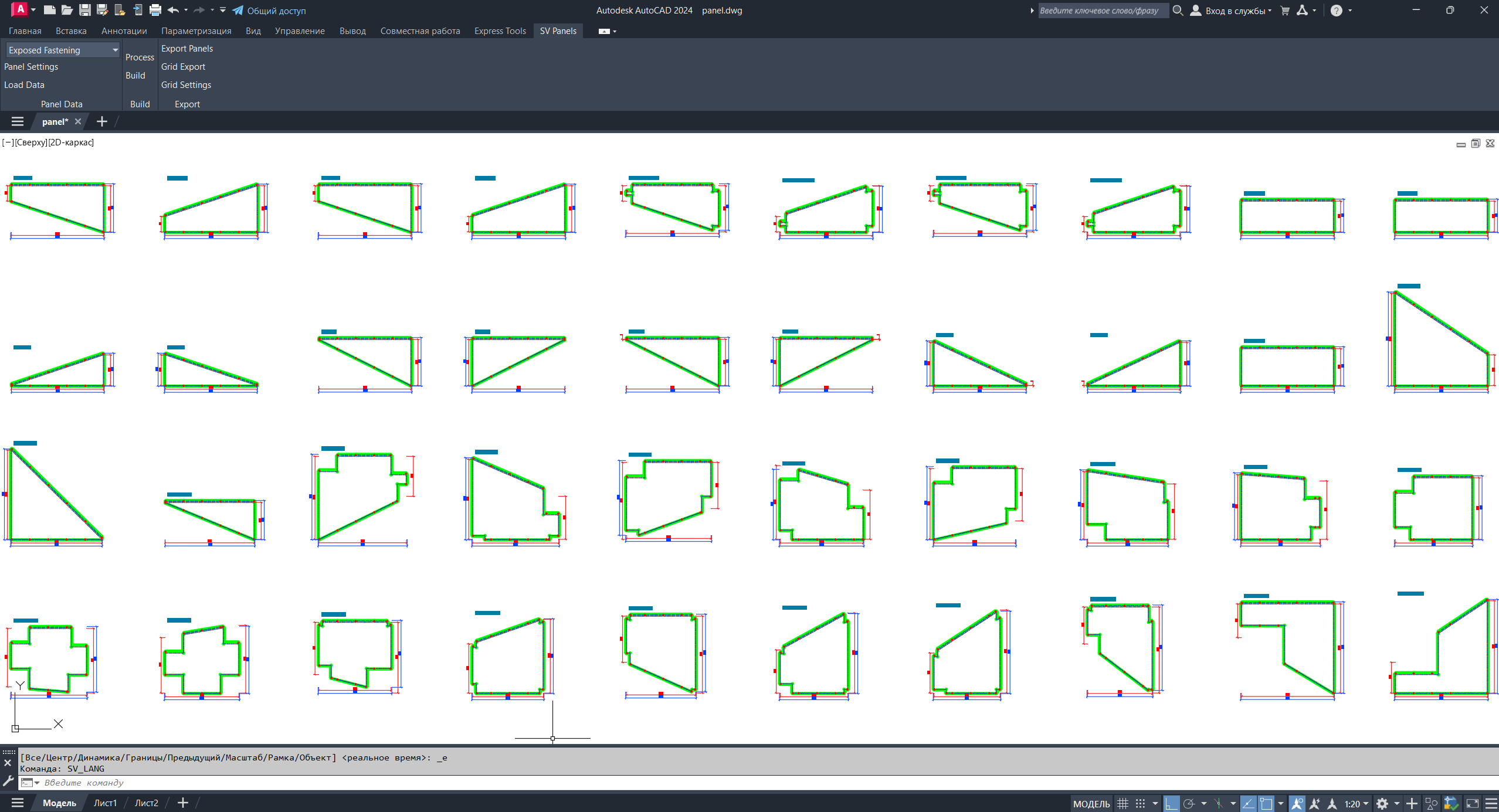
Four panel types
Each type is configurable — geometry, holes, shapes.
Exposed Fastening
Visible fastening. Classic for most facades.
Concealed Fastening
Hidden fastening on hooks. Clean look.
Composite Panel
Aluminium composite. Hooks, assembly holes.
Hook-On Panel
Hidden hooks on rails.
How it works
From table to DXF — four steps.
Enter data
Fill the table manually or paste from Excel.
Calculation
Server computes geometry: bends, holes, ribs, dimensions.
Build
Plugin draws ready flat patterns in AutoCAD in batches.
Export DXF
Export panels to DXF for CNC machines.
Video overview
See how the plugin builds flat patterns in minutes.
Who it is for
Facade designers
Cassette manufacturers
Ventilated Façade Engineers (VFS)
Anyone making ACP and galvanized cassettes
Request access
Leave your contact — we will send the installer and a test key.